

Playwright vs Selenium: Which to Choose in 2026?
Written byDominik Szahidewicz


Updated: July 1, 2026View as Markdown
🤖 Summarize this article with AI:
💬 ChatGPT 🔍 Perplexity 💥 Claude 🐦 Grok 🔮 Google AI Mode
Most comparisons between Playwright and Selenium end with a shrug: "it depends on your needs." That's a non-answer. You came here to decide.
So here's the stance up front: for most teams starting a new web testing suite in 2026, Playwright is the better default. It's faster and the developer experience is years ahead. Selenium still wins in specific situations — legacy browsers, polyglot enterprises, existing vendor grids — and we'll be precise about which. But the burden of proof has flipped: you now need a reason to choose Selenium, not a reason to leave it.
If you can't code at all, neither is your answer — and we'll cover that case too.
Check also:
| Playwright | Selenium | |
|---|---|---|
| Best for | Modern SPAs, dev teams wanting speed | Legacy browsers, polyglot/enterprise |
| Released | 2020 (Microsoft) | 2004 (W3C standard) |
| Auto-waiting | Built in | You write it yourself |
| Browsers | Chromium, Firefox, WebKit | All, including legacy/IE |
| Languages | JS, TS, Python, Java, C# | Java, C#, Python, Ruby, JS, more |
| Parallel runs | Built into the runner | Needs Grid setup |
| Debugging | Trace Viewer (built in) | Bolt-on, grid-dependent |
| Setup overhead | Low — one toolkit | High — drivers, Grid, wrappers |
| 2026 mindshare | ~45% adoption, rising | Declining but huge install base |
| Cost | Free, open source | Free, but high test maintenance cost |
Scan that table and the pattern is clear: Playwright bundles the things you'd otherwise build yourself on Selenium. The rest of this guide is about whether those built-ins matter for your situation — and the cases where Selenium's breadth still wins.
Playwright was built for the web as it actually is now: app-like, client-rendered, constantly loading content asynchronously. Three things make it the modern default.
Auto-waiting kills the most common flake. Selenium doesn't wait for elements to be ready — you write that logic yourself, and when you get it slightly wrong, you get the classic failure: passes locally, fails in CI at 2am, blocks the deploy, and nobody can tell if it's a real bug or a timing issue. Playwright waits by default. A whole category of flakiness disappears before you write a line of custom code.
The Trace Viewer makes failures debuggable by anyone. Turn on tracing in CI and a failed run produces a full post-mortem — DOM snapshots, network, console, step-by-step. A developer who didn't write the test can usually diagnose it in under a minute without rerunning locally. On Selenium, that observability is bolt-on and depends on your grid stack.
One toolkit, no assembly. Codegen, inspector, runner, parallelization, and fixtures ship together. On Selenium you assemble that stack yourself — usually pairing it with a wrapper like WebdriverIO just to cut boilerplate.
Where Playwright bites: no legacy browser support (if customers are stuck on old enterprise browsers, hard stop), a younger ecosystem with fewer niche integrations than Selenium's two-decade footprint, and it still assumes your team can code.
💡Check out our Playwright Cheat Sheet
Selenium isn't legacy dead weight — it's the W3C standard, and in 2026 it still wins real situations decisively.
💡 Check out our detailed guide: Selenium Limitations in 2026 and How to Handle Them
Browser and language coverage nothing else matches. Every major browser, old versions, esoteric enterprise setups, plus first-class Java, C#, Python, Ruby. In regulated industries and long-lived B2B contracts, that breadth beats elegance.
It meets a polyglot org where it is. If your teams standardize on Java and Python, you write tests in both. No political fight to introduce a new language.
Two decades of ecosystem. Cloud grids, reporting dashboards, compliance tooling — there's a well-worn adapter for almost everything. If you already pay for a WebDriver-optimized vendor grid, the path is paved.
Where Selenium bites: you own the waiting and synchronization logic (the flakiness tax), parallelization needs real up-front design (Grid nodes, sharding, matrix planning), and end-to-end traces aren't a one-checkbox feature. Selenium's "free" hides real cost in maintenance hours.
Generally, yes — for modern apps. Playwright's architecture uses browser contexts instead of spinning up a fresh browser process per test, so it parallelizes dozens or hundreds of tests cheaply. Selenium can match it at scale, but only with disciplined Grid design. Out of the box, on an SPA, Playwright is faster to run and faster to author.
No. This is a common mix-up. Playwright does not use Selenium or WebDriver — it talks to browsers through its own protocol (Chrome DevTools Protocol and patched browser builds). Selenium uses the W3C WebDriver standard. They're independent architectures, which is exactly why their behavior around waiting and speed differs.
Both have mature Python bindings, so the choice mirrors the general one. Pick Playwright-Python for modern apps where you want auto-waiting and built-in async support with less setup. Pick Selenium-Python if you need legacy browser coverage or you're plugging into an existing Python+Selenium grid. For a new Python E2E suite on a modern web app, Playwright is the lower-friction start.
B2C subscription checkout, ships weekly behind feature flags. UI changes constantly, marketing runs frequent experiments. → Playwright. Auto-waiting matches the dynamic rendering; tracing turns failed PR checks into quick fixes instead of day-long hunts. Selenium could do it with discipline, but the defaults win under time pressure.
Enterprise procurement portal, contractual legacy-browser support. Long cross-browser suites against a vendor grid, modules split across Java and Python. → Selenium. Forcing Playwright here would create compliance gaps. Language flexibility and Page Object discipline keep it maintainable.
Here's the case neither tool serves. Both Playwright and Selenium assume someone on the team writes and maintains code. If your testing is owned by a manual QA, a product owner, or a developer who's too time-poor to babysit a suite, the honest answer is that the better-framework debate doesn't apply to you yet — the coding requirement is the wall.
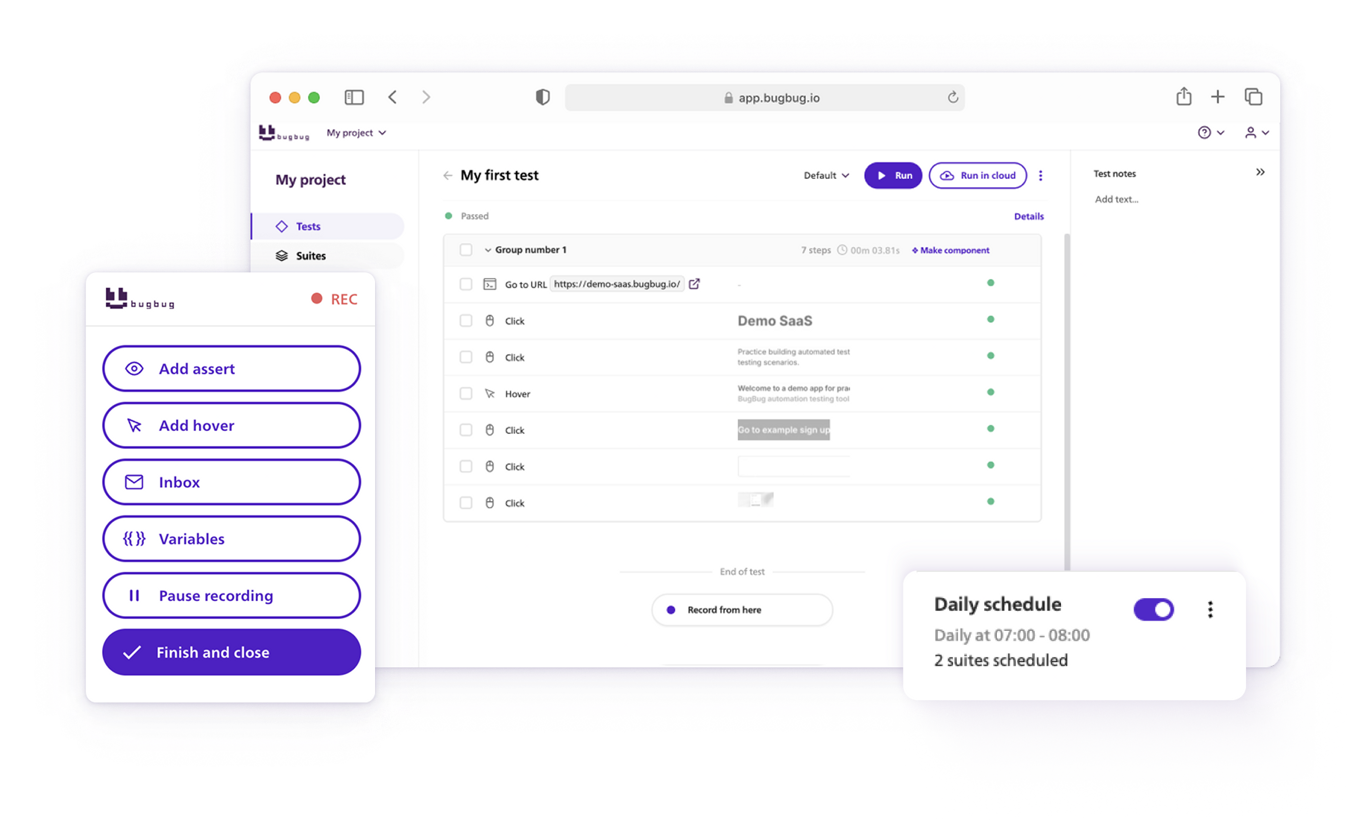
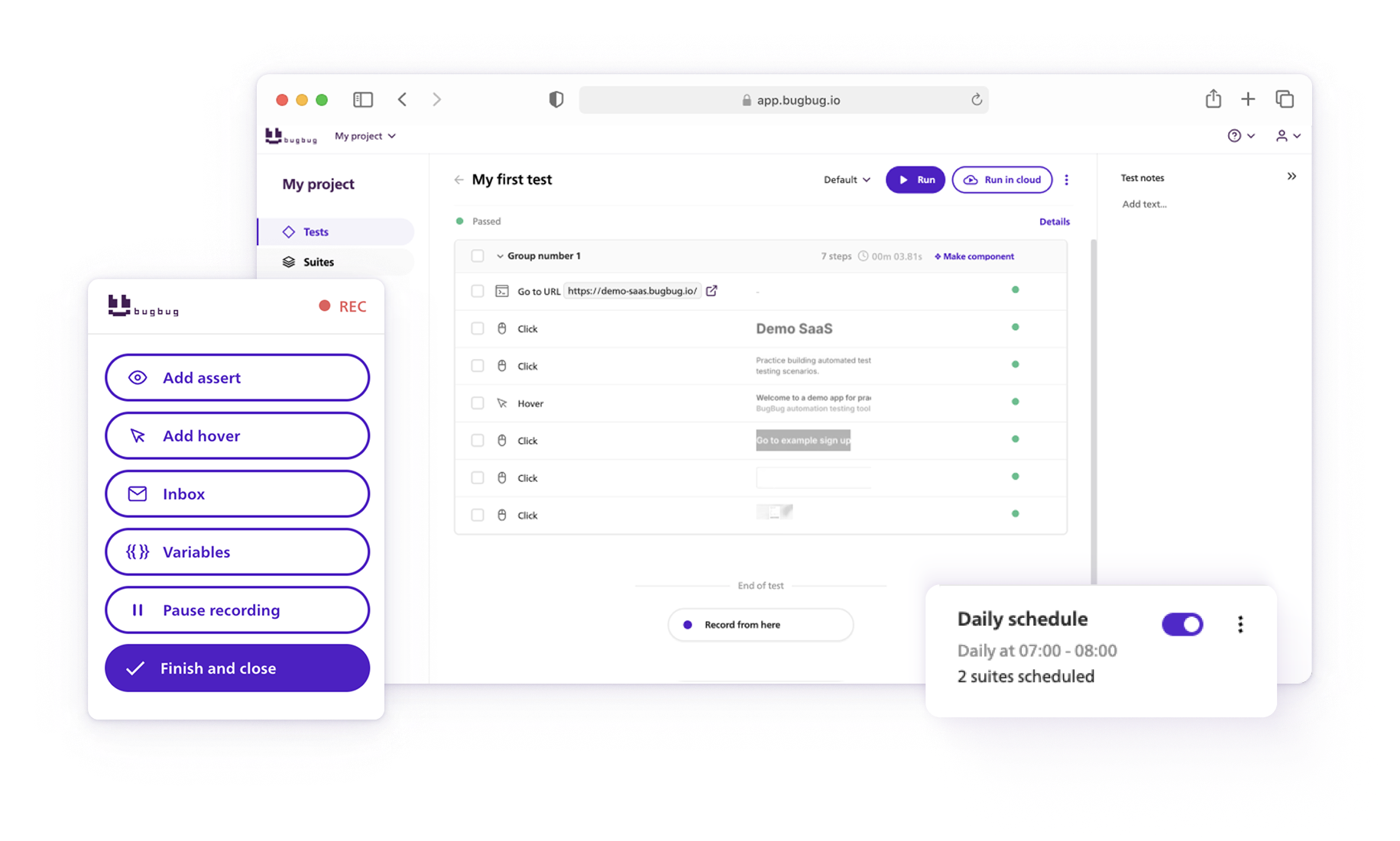
That's the gap codeless tools fill. BugBug, for example, lets you record a test by clicking through your app in a Chrome extension — no driver setup, no Grid, no wrapper framework — then run it locally or in CI. Its Edit & Rewind feature lets you fix one broken step and replay from there instead of re-recording. It's genuinely limited next to these frameworks: Chromium and Chrome only, no Firefox/Safari/mobile, and less flexible for complex data-driven scripting. But for a web-only team that wants regression coverage without owning a framework, it gets a real test running in under 10 minutes.
💡 Check out detailed comparison: BugBug vs Playwright
Plenty of teams run both layers: Playwright or Selenium for the engineer-owned critical paths, BugBug for the marketing pages, navigation, and content checks that product or QA can maintain without filing a ticket. If that mixed approach fits how your team is actually staffed, [BugBug's free plan] (unlimited tests, no credit card) is the fastest way to see if the codeless layer covers your flows.
Automate your tests for free
Test easier than ever with BugBug test recorder. Faster than coding. Free forever.
Get started
For a new web test suite in 2026, start with Playwright unless you have a specific reason not to — legacy browsers, a polyglot org, or an existing WebDriver grid. Those reasons are real and common enough that Selenium is far from dead, but they're now the exception you justify, not the default you inherit.
And if the real blocker is that nobody on your team writes test code, skip the framework debate — start codeless, and add a framework when you have someone to own it.
Happy (automated) testing!
Your next release. Properly tested.
Join 1,200+ QA teams that automated their
regression coverage with BugBug.

Dominik Szahidewicz is a Software Quality Evangelist specialising in quality assurance, test automation, and modern software testing practices. He creates practical, research-driven content that helps QA professionals, developers, and product teams improve test coverage, automate repetitive testing, and release more reliable web applications.
Drawing on his experience in technical writing, data analysis, and application consulting, Dominik translates complex testing concepts into clear, actionable guidance. His areas of interest include end-to-end testing, low-code test automation, regression testing, and the use of AI in software quality assurance.
Get more testing tips and product related content. Zero spam.
Everything you need to know about using Playwright is in this cheat sheet. Dive into our list of automation code tips and more!
Learn Playwright locators with our guide: getByRole, getByText, getByTestId, and more. Check also our cheat sheet with more examples.
How does The Playwright Recorder compare to the modern, codeless approach of BugBug?
Let's explore the best Playwright alternatives in 2026: Cypress, Puppeteer, Selenium, and more test automation tools and frameworks for developers.
Learn how to use Playwright selectors for automation scripting. Selectors are strings used to perform actions on elements in a page.
Explore Selenium Webdriver locators, and commands with our Java Selenium Cheat Sheet.
Explore the limitations of the most popular framework. Learn about alternatives and ways to overcome Selenium disadvantages.
Discover top Selenium practice websites designed for a variety of testing scenarios. Sharpen your automation skills.
Compare the top Selenium alternatives for 2026 — from Playwright and Cypress to BugBug. See features, pricing, and which fits your team.


