

What Is Smoke Testing? Guide and Examples
Written byDominik Szahidewicz


Updated: August 19, 2026View as Markdown
Smoke testing is a fast check that confirms whether a new software build is stable enough for deeper testing. A smoke test covers critical functions such as app launch, login, navigation and one primary user flow. If one of these basic checks fails, the build goes back to development before the QA team spends time on broader testing.
Check also:
| Smoke testing | Sanity testing | Regression testing | |
|---|---|---|---|
| When it runs | After a new build, deployment or major integration | After a focused change or bug fix | After changes that may affect existing behavior |
| How long | Usually a few minutes | Usually minutes to under an hour | From tens of minutes to several hours |
| Scope | Critical paths across the application | The changed or affected area | Existing functionality across the application |
| Depth | Broad and shallow | Narrow and focused | Broad and deep |
| Scripted? | Often scripted and automated | Manual or scripted | Usually scripted for repeatability |
| Who runs it | QA, developers or CI/CD pipelines | QA or developers close to the change | QA teams, developers or automated pipelines |
| Fails = | Stop deeper testing and fix the build | Investigate the affected functionality | Investigate the regression before release |
The easiest way to remember the difference is simple: smoke testing asks “Is the build usable?”, sanity testing asks “Does the changed area work?” and regression testing asks “Did the latest change break something that worked before?”
Smoke testing is a preliminary software testing method used to check if the most important parts of a new build work well enough for further testing.
It is also known as build verification testing (BVT) because the goal is to verify the basic health of a build before a testing team commits time to detailed functional, integration or regression testing.
A smoke test does not try to cover every feature, input and edge case. Instead, it touches the functions that would make further testing pointless if they were broken.
For a typical web application, a smoke test might confirm that:
Imagine a project management platform where users cannot sign in after the latest deployment.
The QA team could still have hundreds of prepared test cases for task filters, notifications, permissions and reports. None of them matter yet because testers cannot get into the product.
That is where smoke testing earns its place in the software testing process. It gives the team a fast go/no-go decision.
If the smoke tests pass, deeper testing can continue. If a critical smoke test fails, the build goes back to development.
The name comes from hardware testing. Engineers would power up a new device and look for smoke, sparks or another obvious sign of catastrophic failure. If nothing burned, deeper testing could begin. Software teams adopted the same metaphor. A smoke test checks that a new build has no obvious critical failure before anyone invests time in detailed testing.
A broken build can waste a surprising amount of testing time.
Without an initial smoke test, QA engineers may begin executing detailed cases only to discover that authentication is unavailable, an important API is down or the application's primary dashboard does not load.
Smoke testing moves that discovery to the beginning of the process.
The main benefits include:
A smoke test does not need to find every problem.
It needs to find the problems large enough to make further testing a bad use of time.
Smoke testing and sanity testing are easy to confuse because both provide fast feedback and both tend to happen before more exhaustive testing.
The difference is what each test is trying to prove.
Smoke testing checks the general stability of a build. It touches several important areas of the product without exploring them deeply.
Sanity testing checks a specific area after a focused change. A sanity test usually follows a bug fix, small feature update or another limited modification.
Consider a SaaS application where developers have fixed an issue with password reset.
A smoke test for the new build might check:
A sanity test for the same build may focus entirely on password reset:
The sanity test can pass even when an unrelated critical feature is broken.
Likewise, a passing smoke test does not prove that every detail of the password-reset fix works correctly.
That is why smoke testing and sanity testing complement each other rather than compete.
For a deeper comparison, read Smoke Testing vs Sanity Testing.
Smoke testing and regression testing differ mainly in scope, depth and timing.
A smoke test checks a small selection of critical functionality and answers one immediate question: is the application stable enough for more testing?
Regression testing checks that functionality which worked before still works after software changes.
Take an ecommerce application.
A smoke test after a deployment may verify that:
A regression suite may go much further and check:
That difference explains why smoke tests usually run in minutes while a large regression suite may take much longer.
Passing a smoke test does not mean the application is bug-free.
It means the build has passed its first health check and is ready for deeper verification.
Read Smoke Testing vs Regression Testing for a deeper comparison.
Smoke and sanity testing work well as two separate gates.
Imagine a new build has just reached staging.
The sequence prevents two common problems.
First, the team does not waste time investigating details in a fundamentally broken build.
Second, a focused sanity test is not mistaken for a complete build health check.
A practical flow looks like:
New build → smoke test → sanity test → regression testing → release decision
Here is a concrete smoke testing example.
Scenario: A SaaS project management application has just been deployed after changes to authentication and navigation. The team wants one fast test that confirms a normal user can still enter the application and reach its primary functionality.
The entire smoke test takes around 90 seconds.
The decision rule matters more than the timer.
If step three fails because users cannot log in, the team does not continue testing reports, notifications and project settings just to collect more failures.
The build has already failed its smoke test.
Developers can automate the same type of check with Playwright.
Install Playwright with npm:
npm init playwright@latest
Then create a small smoke test:
import { test, expect } from '@playwright/test'; test('smoke: Demo SaaS entry points', async ({ page }) => { await page.goto('https://demo-saas.bugbug.io/'); await expect(page).toHaveURL(/demo-saas/); await page.getByRole('link', { name: /log in/i }).first().click(); await expect(page).toHaveURL(/sign-in/); await expect(page.locator('input[type="email"]')).toBeVisible(); await page.goto('https://demo-saas.bugbug.io/sign-up'); await expect(page).toHaveURL(/sign-up/); await expect(page.locator('form')).toBeVisible(); });
The example uses BugBug's public Demo SaaS application and keeps the test deliberately small.
A production smoke suite may also include authenticated flows, but the same rule applies: focus on the handful of actions that determine if a build deserves deeper testing.
You can create a similar smoke test in Cypress or another browser automation framework.
A reusable smoke test checklist helps teams keep the first layer of testing focused.
You do not need every item for every application.
A good smoke test checklist is the shortest set of checks that can reliably tell your team when a build is not ready for further testing.
Need a codeless smoke testing tool?
BugBug lets you record critical browser flows and rerun them after every release.
Start testing. It's free!
Smoke testing becomes especially useful when a team needs fast feedback after a software change.
Here are three situations where that matters.
Scenario: Your SaaS platform has just added a new Team Analytics dashboard with charts, filters and new navigation.
The feature has passed unit testing and the build is now available in staging.
A smoke test verifies that:
Suppose the analytics dashboard itself works, but the latest deployment has broken the application's global navigation.
That is enough to fail the smoke test.
There is little value in testing chart filters, export options and visualization settings while a critical navigation path is broken.
A smoke test does not need to explain everything wrong with a build.
It needs to tell the team when the build is not worth testing further.
Scenario: A production issue prevents some customers from completing checkout. Developers prepare a hotfix and deploy it to staging.
The team naturally wants to test the payment fix, but first it needs a quick signal that the rushed change did not damage another critical path.
A smoke test may cover:
Once the overall flow passes, a focused sanity test can inspect the payment change in more detail.
That is a practical example of smoke and sanity testing working together.
Smoke testing checks the overall stability of the build. Sanity testing checks the specific area that changed.
Scenario: A startup follows continuous integration. Every merge to the main branch creates a new build and deploys it to a test environment.
Instead of waiting for someone to manually open the application, an automated smoke testing suite runs immediately.
It checks that:
If the smoke tests pass, the pipeline continues.
If they fail, the team gets feedback close to the code change that caused the problem.
That becomes especially useful when teams deploy several times per day.
A repetitive manual check can quickly turn into a bottleneck. A small automated smoke suite can provide the same first signal after every relevant build.
There is no universal smoke test template.
The critical path of a banking application looks different from the critical path of a project management platform, ecommerce store or analytics product.
Still, useful smoke tests tend to have several characteristics in common.
A smoke test should focus on functionality whose failure would make the application unusable or make further testing inefficient.
Authentication is a common example.
If testers cannot enter the application, most test cases for logged-in functionality become impossible to execute.
Smoke tests confirm that functionality basically works; they do not explore every possible variation.
For checkout, a smoke test may use one known product, one valid address and one supported payment path.
Testing multiple payment methods, invalid coupons, unusual tax combinations, network failures and edge cases belongs in deeper functional or regression testing.
A smoke suite should tell the team what happens next. If it passes, continue. If a critical smoke test fails, investigate the build first.
Unstable data can turn a useful smoke suite into a source of false failures.
A test may fail because an account expired, someone deleted a required record or an external dependency returned unexpected data.
Use stable test accounts and reusable test data where possible.
Speed is part of the point.
A small web application may have a smoke suite that runs in 90 seconds. A larger product may need several minutes.
If the suite regularly runs for hours, it has probably expanded beyond smoke testing.
Smoke testing can be performed by different people depending on team size and development process.
The job title matters less than consistency.
The team should have a repeatable definition of what the application must do before more detailed testing begins.
Even a non-technical teammate can run a simple manual smoke test with a clear test plan.
Smoke tests can be manual or automated.
Manual smoke testing makes sense when releases are infrequent, workflows change often or a team is still deciding which checks belong in the smoke suite.
A tester can open the application, follow a small checklist and report if the build is ready for further QA.
Automated smoke testing becomes more attractive when the same checks happen frequently.
If someone manually checks login, dashboard access and project creation after several deployments every day, that flow is a strong candidate for automation.
| Manual smoke testing | Automated smoke testing |
| Quick to start | Requires initial setup |
| Useful for changing workflows | Best for stable, repeatable flows |
| Requires human time on each run | Can run after every relevant build |
| Allows human observation | Gives consistent execution |
| Harder to scale with frequent releases | Works well in CI/CD |
Many teams use both.
They automate predictable critical paths and keep manual testing available when a release needs additional human inspection.
👉 Want to build a smoke test in BugBug?
Follow the Website Testing Guide: Smoke Testing with BugBug for a step-by-step setup.
Automated smoke testing runs a predefined set of critical health checks automatically after a build, merge or deployment.
It is a practical place to start with test automation because smoke tests tend to be short, repeatable, business-critical and executed frequently.
Good candidates for automated smoke tests include:
The important part is keeping the smoke suite small.
Do not automate an entire regression suite and rename it “smoke testing.”
Once dozens of edge cases and secondary workflows enter the suite, execution becomes slower and failures become harder to interpret.
Teams can automate smoke tests with code-first frameworks such as Playwright or Cypress, or with browser automation tools such as BugBug.
For a broader look at the process, see the Guide to Automated Smoke Testing.
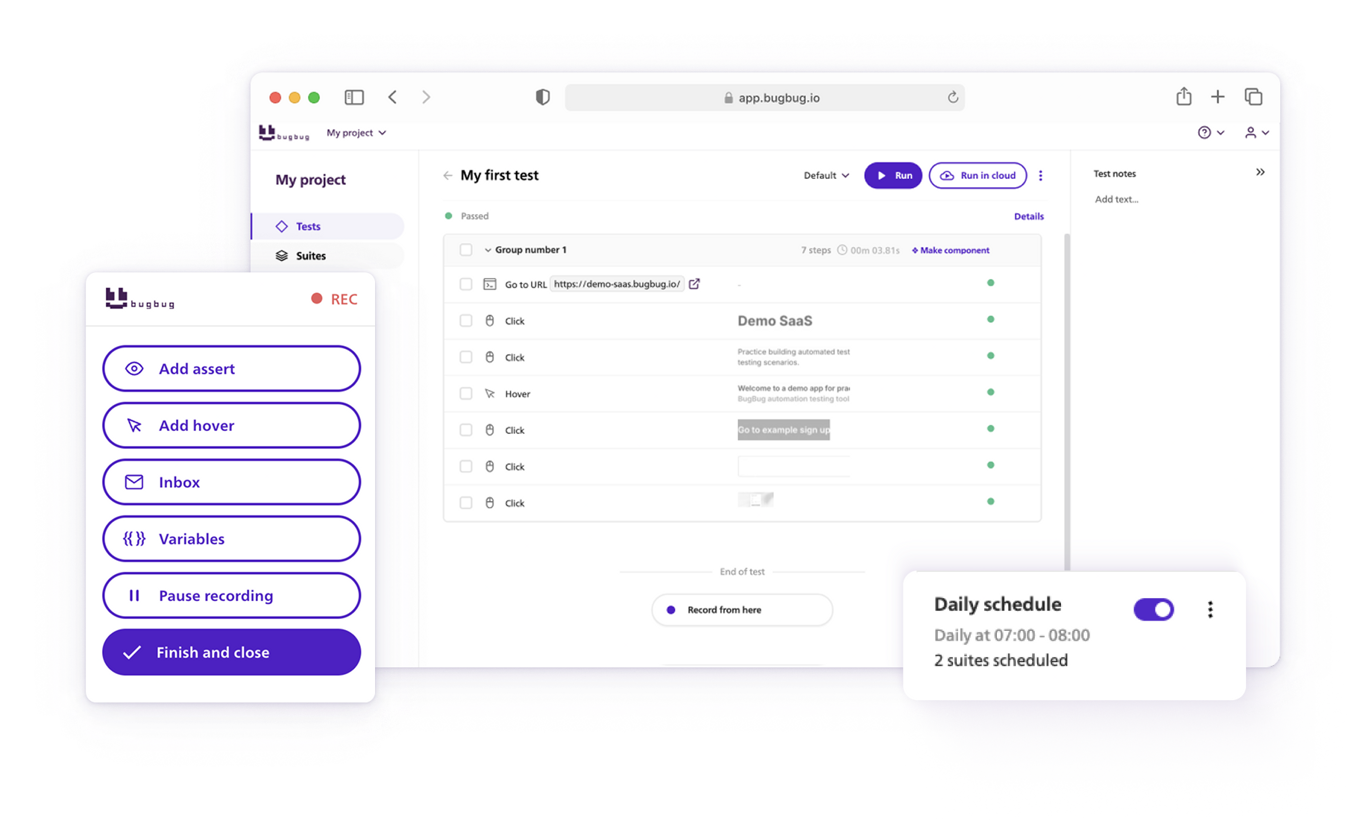
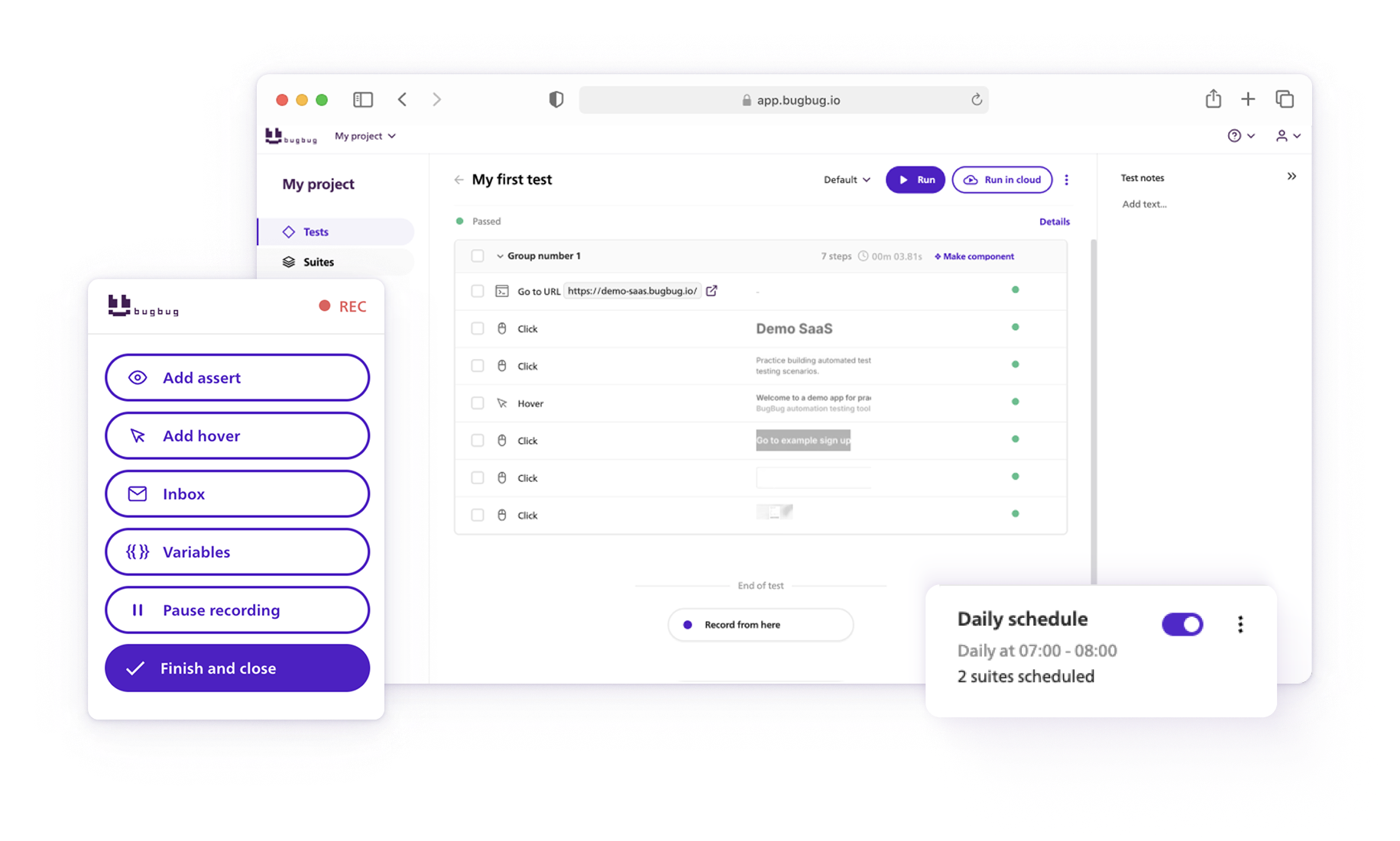
BugBug lets teams record browser interactions and save them as repeatable automated tests.
A basic setup looks like this:
For a full walkthrough, see Smoke Testing with BugBug.
Automated smoke tests become even more useful when nobody needs to remember to launch them manually.
A typical CI/CD flow looks like this:
BugBug provides a CLI for triggering tests from continuous integration and delivery workflows.
See the BugBug CLI documentation for setup instructions.
Teams using GitHub can also use the BugBug GitHub integration.
The release rule can stay simple:
That turns smoke testing into a real quality gate rather than another report someone has to remember to open.
Smoke tests make the most sense after a change that could affect the basic stability of an application.
The hardest part of smoke testing is often deciding what not to include.
Start with the features that would cause the team to reject a build immediately if they failed.
Ask:
For a CRM, creating or viewing a contact may belong in the smoke suite.
For an ecommerce store, reaching checkout probably matters more.
For an analytics platform, loading a dashboard with data may be critical.
For a booking platform, searching availability and reaching the booking flow may be enough for the first gate..
Smoke testing is simple in theory, but a few mistakes can make it much less useful.
Smoke testing is not supposed to find every defect.
It has a much simpler job: find out quickly if the build is healthy enough to deserve more testing.
That makes smoke tests useful after new builds, hotfixes, staging deployments and CI/CD releases.
Use smoke testing for the overall health of the build. Use sanity testing for focused changes. Use regression testing when you need broader confidence that existing functionality still works.
And if your team repeats the same critical browser checks after every deployment, automate them.
With BugBug, teams can record critical browser flows, save them as reusable smoke tests and run them again whenever a new build needs a fast health check.
Your next release. Properly tested.
Join 1,200+ QA teams that automated their
regression coverage with BugBug.

Dominik Szahidewicz is a Software Quality Evangelist specialising in quality assurance, test automation, and modern software testing practices. He creates practical, research-driven content that helps QA professionals, developers, and product teams improve test coverage, automate repetitive testing, and release more reliable web applications.
Drawing on his experience in technical writing, data analysis, and application consulting, Dominik translates complex testing concepts into clear, actionable guidance. His areas of interest include end-to-end testing, low-code test automation, regression testing, and the use of AI in software quality assurance.
Get more testing tips and product related content. Zero spam.
Compatibility testing is non-functional testing, which means it focuses on such aspects as the reliability and usability of software applications.
What regression testing is, what to test first, and how teams shipping weekly automate it without writing code.
Discover top Selenium practice websites designed for a variety of testing scenarios. Sharpen your automation skills.
Discover the key benefits of automated smoke testing and learn how to effectively automate smoke tests for faster, more reliable QA workflows.
Comprehensive guide to Smoke Testing and Sanity Testing in the Software Development Life Cycle. Let's compare Smoke Testing vs Sanity Testing.
Smoke regression testing guide: check the article to know if you need a smoke test or a regression test or both.
Smoke testing involves conducting a series of basic tests on a software build to verify that the most crucial functions operate as expected.
Six regression testing tools for web teams, from code-first options like Playwright and Cypress to codeless tools like BugBug.


